


Though I started my AI journey as a ChatGPT user, after switching to Claude, I wrote ChatGPT off. If one were using Claude, I thought, there was no need for other models.
Then OpenAI launched Astra, and it was time to recalibrate. For at least two use cases, 3D modeling and image generation, ChatGPT was clearly superior, at least for now. Then Meta launched Muse, and it proved to be a superior personal assistant. Similarly, X’s GrokBot is superior for ongoing multi-agent work and trending news.
The broader point is that having multiple models beats being fully reliant on just one, particularly as the AI race is still hyper competitive and rapidly changing. The gap between the top models overall may be small, but the gap between specific use cases is enormous. Knowing what model to use for what use case is paramount.
Below is what each model does best, from my own experience, at this point in time. These rankings are likely to change. The case for remaining model agnostic will not.
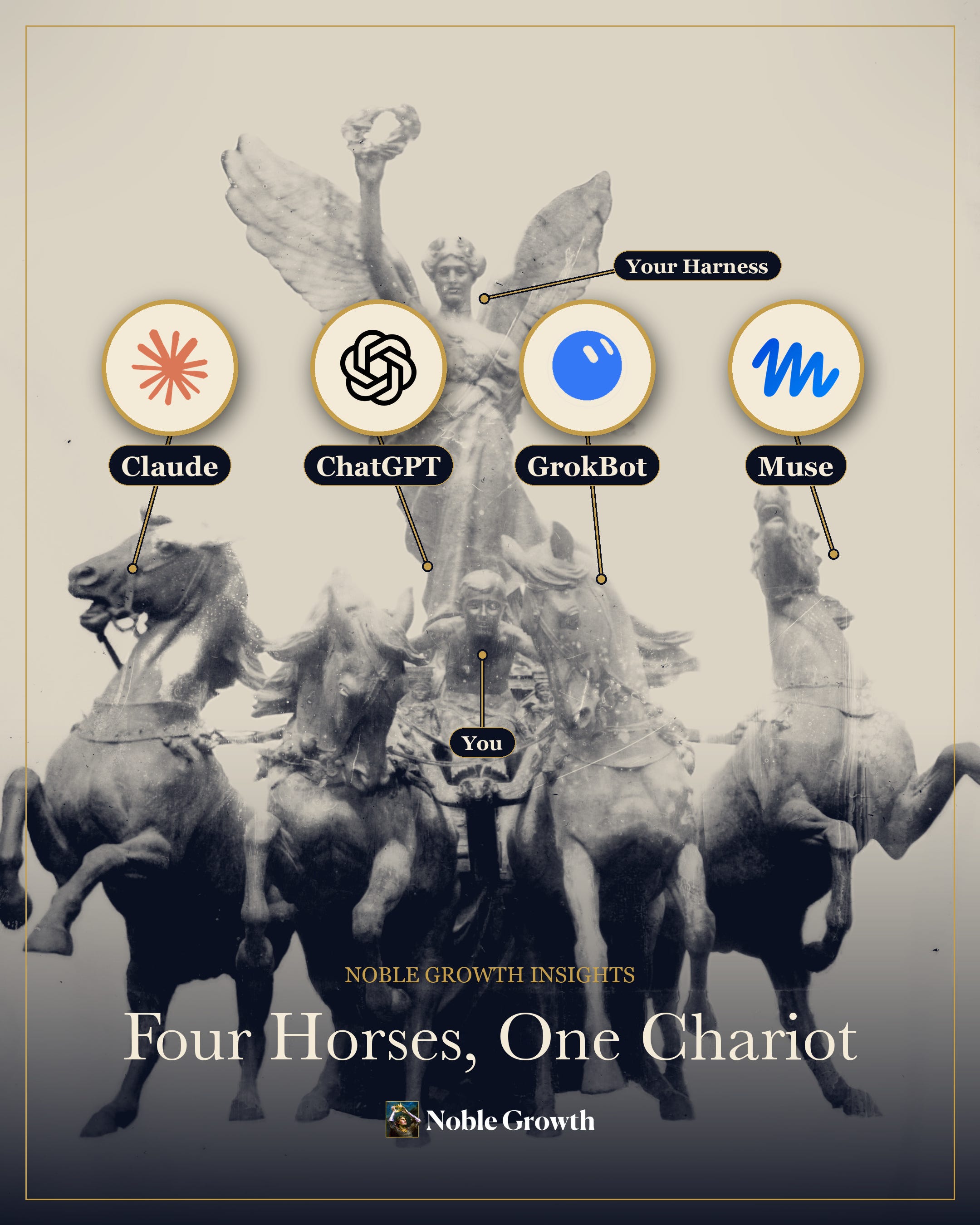
Here is the cheat sheet as of October 2026, then what each model is best used for…
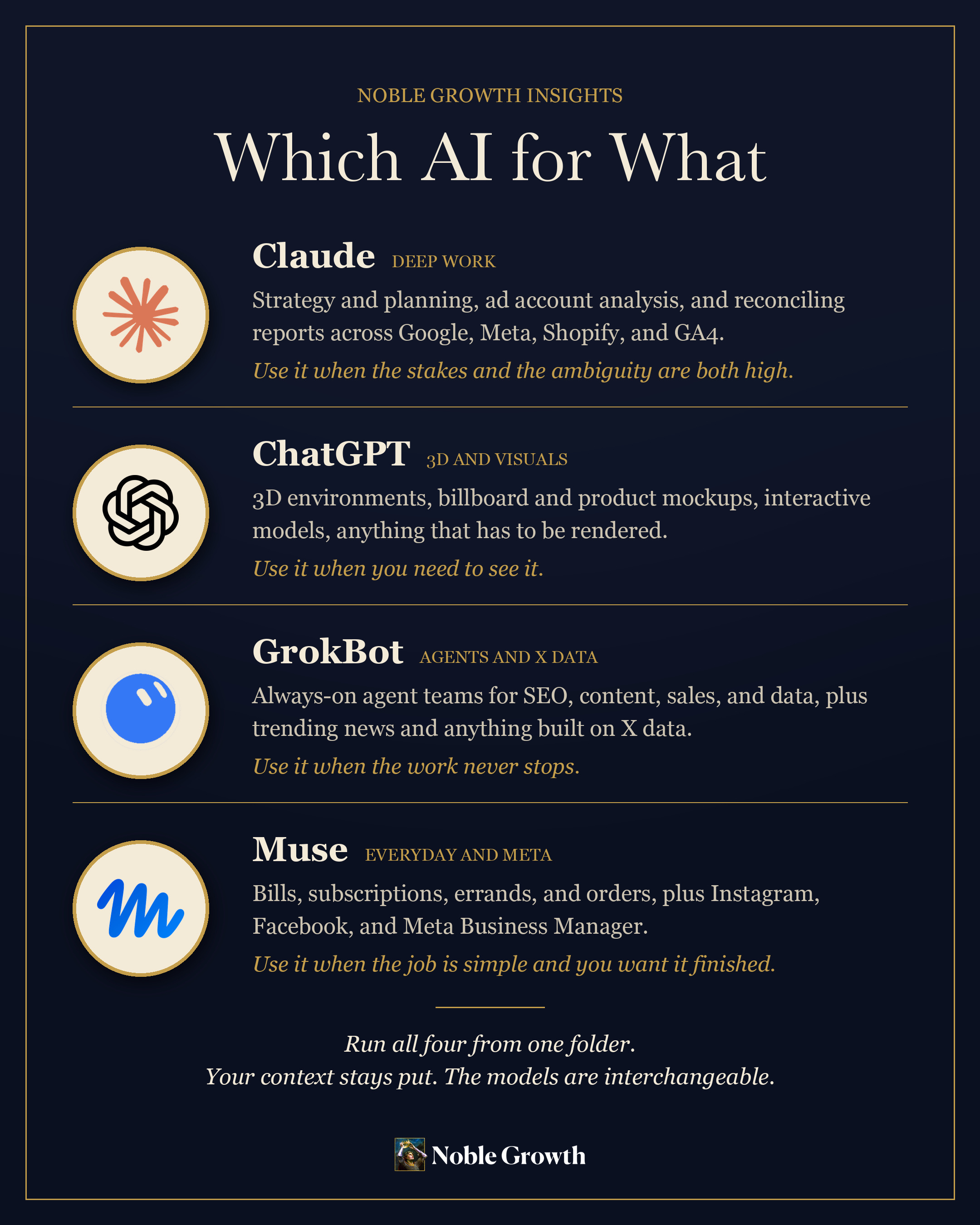
Claude: deep work
Claude is still the best thinker I have access to. When the work is hard and ambiguous, nothing else comes close.
I give it the work that requires holding a lot in its head at once. Planning a brand new website or app from scratch. Diving into analytics for an ad account to determine which optimizations to make next. Generating detailed weekly client reports by pulling in all the relevant data from Google Ads, Meta, Shopify, and GA4, then reconciling it.
That last one matters more than it sounds. Most AI tools can summarize a spreadsheet. Very few can look at three platforms that disagree with each other about the same week of revenue and tell you which one to trust and why.
If the task has real consequences and real ambiguity, it goes to Claude.
ChatGPT: 3D and the visual layer

Right now, ChatGPT is the best model available for 3D modeling and image generation. Since Astra, it is not close.
For iKahan, my out of home advertising client, we build 3D environments of their billboards so brands can see exactly what their creative will look like on that board, from every angle, before they buy. We used to spend hours photoshopping a flat mockup. Now we build the environment, drop the creative in, and take screen captures and video previews automatically.
I also use it for things that have nothing to do with work. My son asked me why the Earth goes around the sun, and why the moon goes around the Earth. As I explained it, I could tell he was having trouble picturing it, and none of the videos or models I could find online were good enough. So I built one: https://noblegrowth.co/solar-system/
The sun, the planets, the moons, all moving through space and time relative to one another, so he can see how it actually fits together.
Anything spatial, anything visual, anything that needs to be rendered rather than described, goes to ChatGPT.
GrokBot: the army
GrokBot is the best at deep multi-agent workflows. It is also the best for anything built on X data, like trending news and what people are talking about in real time.
The idea is to stop thinking of AI as a thing you talk to and start thinking of it as a staff you employ. An SEO bot. A social content bot. A sales bot. A data science bot. And above them, a chief of staff bot that assigns the work, collects the output, and tells you what needs your attention.
Always on, always working, with you as the only human in the loop.
This is the part most people have not caught up to yet. A single chat window has a ceiling, and that ceiling is your own attention. An org chart of agents does not.
Muse: the everyday agent
Muse is the best agent for simpler, more straightforward, lower cognitive load work, and it handles that category better than anything else available. It also has the edge anywhere Meta data comes into play: Instagram, Facebook, and Meta Business Manager.
I used it recently to go through every subscription and bill I pay, find what I was overpaying for or no longer needed, cancel the ones I did not need, and change the plan tier on the ones where I was paying for more than I used. That added up to $1,428 a year in savings. It also ordered new trash cans when the lids on mine broke. Small, useful, finished.
One agent, done elegantly, instead of an army.
Muse hit No. 1 on the App Store ten days after launch, which tells you something. It may have gotten the interface more right than anyone else so far. Its connectors are already being described as a next generation app store, and I think that description will hold up.
How to actually run four models

Most people make the mistake of running their AI only in the desktop apps or website browsers.
The most powerful way to run them is in your terminal, on your MacBook or whatever computer you use. This gives the models access to your files and tools, so they can do almost anything your computer can do, within the permissions you set.
The added benefit is that all your files live on your computer, so you can swap models without losing any of the context you have been working in. When I switch from Claude to Astra, it has access to the same markdown files, project folders, and platform API keys. I can pick up right where I left off. If one model gets stuck on a task, I hand the whole thing to another one and see if it can bring it to the finish line.
That portability is the real unlock. Not the model. The context.
AI training
I have started running AI team training sessions for several of my clients, to bring them up to speed on how to use these tools properly. The hardest part is usually the setup: getting everything running in the terminal, with access to your website, your platform APIs, and GitHub for version control. Once that is done, you talk to these models the way you already do in a chat window. It is that easy, and far more capable.
If you want a session like this for your brand or business, get in touch: https://noblegrowth.co/contact
Mission Control
In the paid section below, a full walkthrough of the solar system build, from the first prompt to the live page: how Astra generated the 3D, how it grew from a handful of inner planets to all eight planets, five dwarf planets, and 465 moons in motion, and how Claude Fable got it onto my site with version control and a full screen mode that holds up on a phone.
Here is exactly how I built it, and how you can too.