


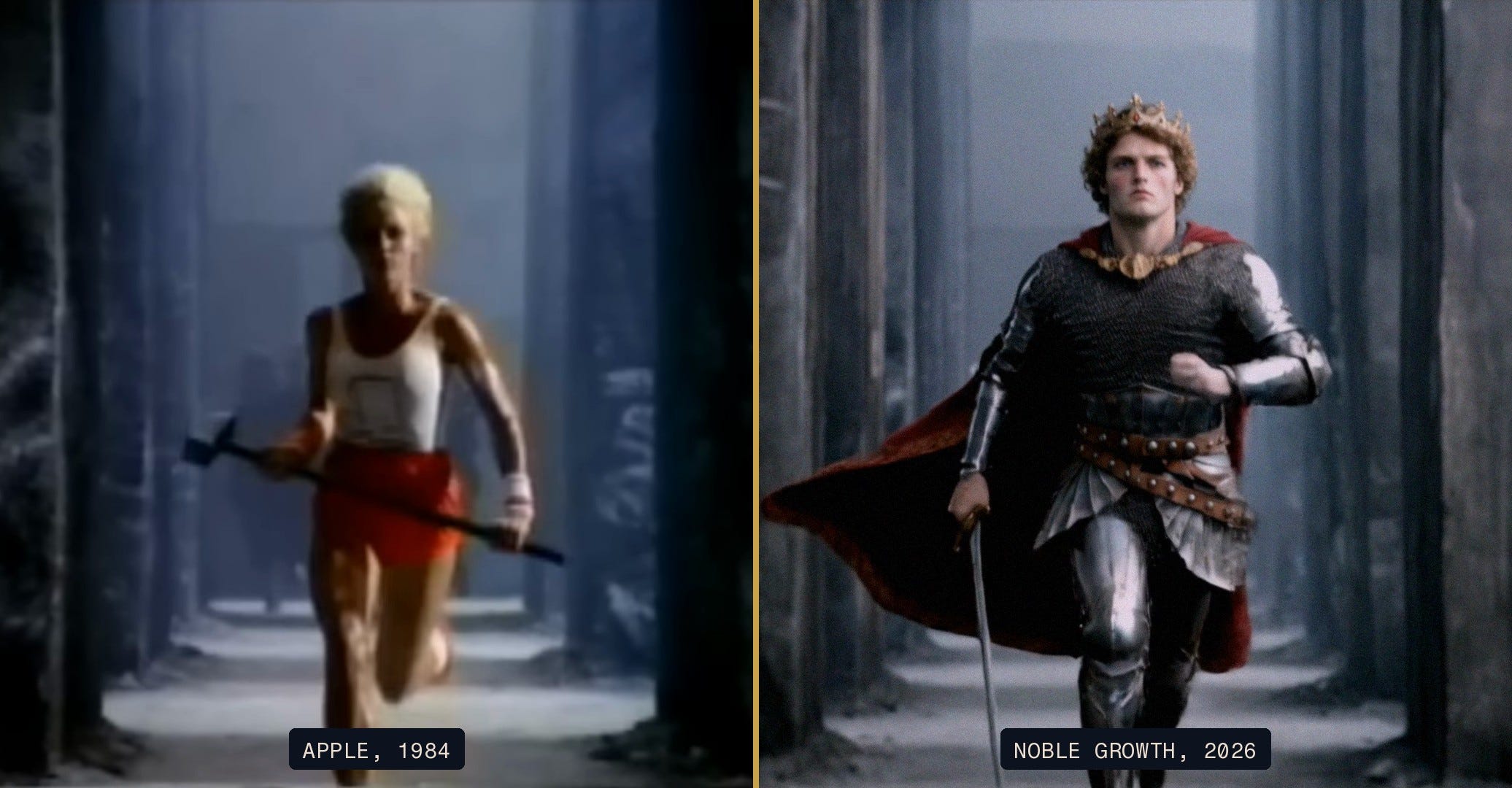
A few weeks ago I came across a guy on X named Jean Philanthrope. French, blonde, a funny haircut, always in a suit, and constantly throwing boxing combinations. I watched a few of his clips and thought, this is a real person. Just an eccentric Zoomer who likes sharp suits and happens to be pretty good at boxing. It did not even occur to me to question it.
He is not real. None of it is. And the moment I realized that, I did not feel tricked so much as curious. How do you make something this good? Good enough that a guy who does this for a living scrolled right past it and assumed it was a person.
So I went and figured it out. This post is what I learned, and how I have started making the same thing.
First, where I draw the line
Before the how-to, I want to be clear about something, because this technology sits in a gray area and I think most people are handling it badly.
Creating an AI character and passing it off as a totally real person is not something I am in favor of. It is deceptive. It likely has strange psychological effects on the people consuming it. And it is just not white hat. You see this constantly on marketing Twitter right now: fake AI influencers shilling products, with no disclosure that the person recommending the thing does not exist. That backfires. You get backlash, you get your account banned, and more importantly it is simply not the right thing to do.
But there is a right way to do this, and it is genuinely exciting.
If you are making an obvious parody or a riff on something people already know, that is fair game. If you label the character as AI, that is fair game. If you are experimenting to learn the technology, that is fair game. And down the road I think brands will use AI characters the same way they use actors today, with a simple disclosure that these are AI characters, not real people, so the focus can stay on putting out the highest quality creative possible.
That is the spirit everything below was made in. With that, here is how I did it.
Step one: the idea
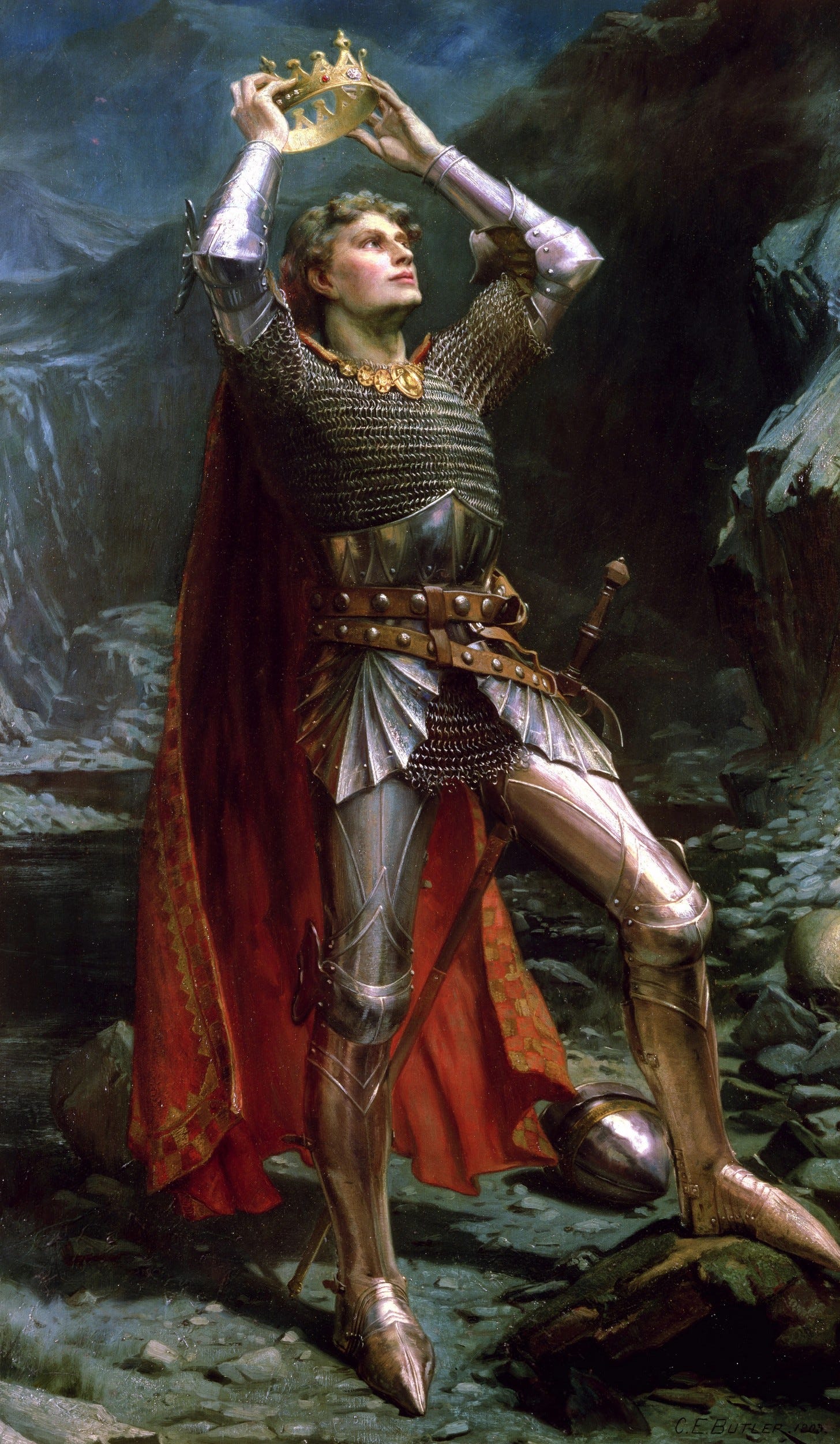
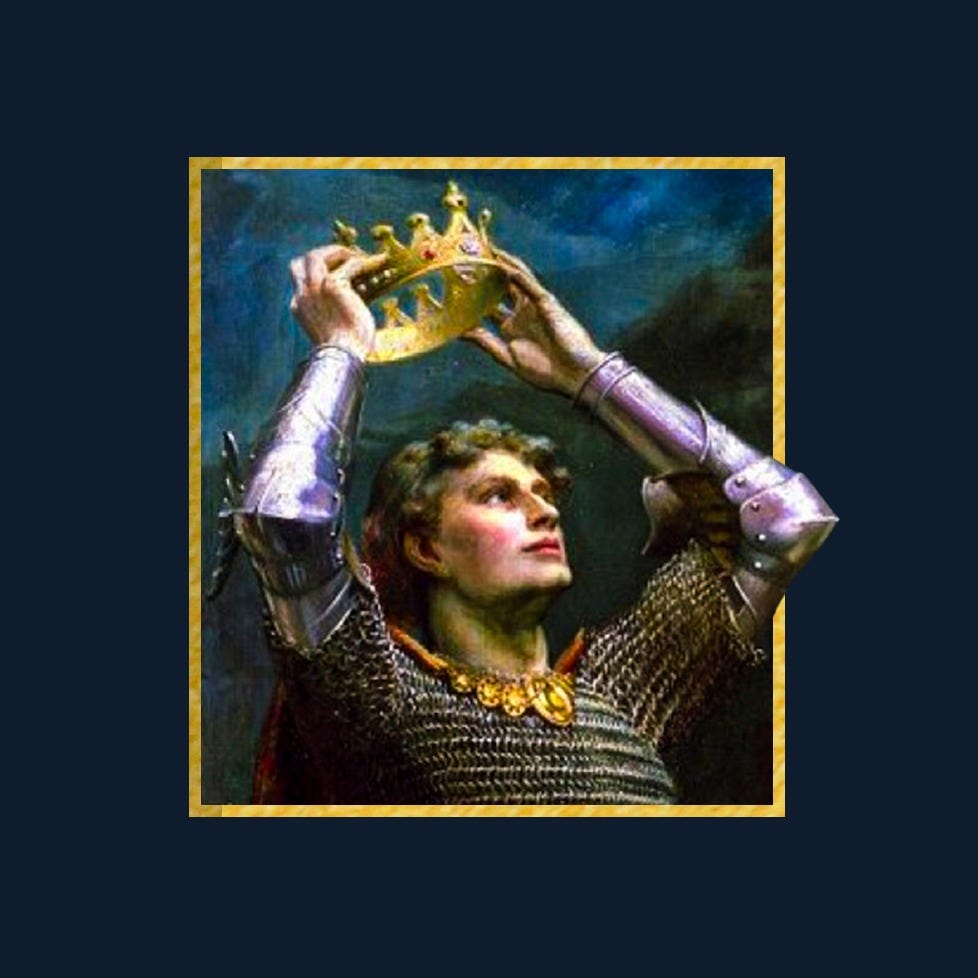
Recently I updated the Noble Growth logo. The whole thing started with a dream. I saw a famous painting from over a hundred years ago of King Arthur in the moment he is being crowned, the crown just touching his head, and I woke up knowing that was the icon.
It fit perfectly. The way I see it, working with Noble Growth is the moment you put the crown on your own head. You give yourself the sovereignty to finally build your brand the way you have always envisioned it. We hand you the crown, the sword, and the armor you need to reach your full potential. So King Arthur became the icon, and then he became something bigger: the larger than life mascot for the whole brand.
Once I had the mascot, the idea almost suggested itself. Take the most iconic commercials of all time, and drop King Arthur into them in place of one of the main characters.
The first one was obvious. Apple's 1984 ad. Directed by Ridley Scott, aired nationally just once, during the Super Bowl, sixty seconds long, and still considered by many the greatest commercial ever made. The one where the runner sprints down the aisle of drones and hurls a hammer through the screen. My version: instead of the runner with the hammer, King Arthur, in full armor, sprinting with his sword.
Step two: the first attempt, and why it failed
I opened Claude in my terminal and had it plan the whole thing out, including which tools to use. The first renders came from Google's Veo, and when those credits ran dry, Claude moved me to a class of video platform where you load up a balance of credits and swap in whichever model is currently the most cutting edge. I put a hundred dollars of credits in, dropped in the YouTube link for the 1984 ad as a reference, and dropped in my King Arthur source image.
I thought it might one shot it. It did not.
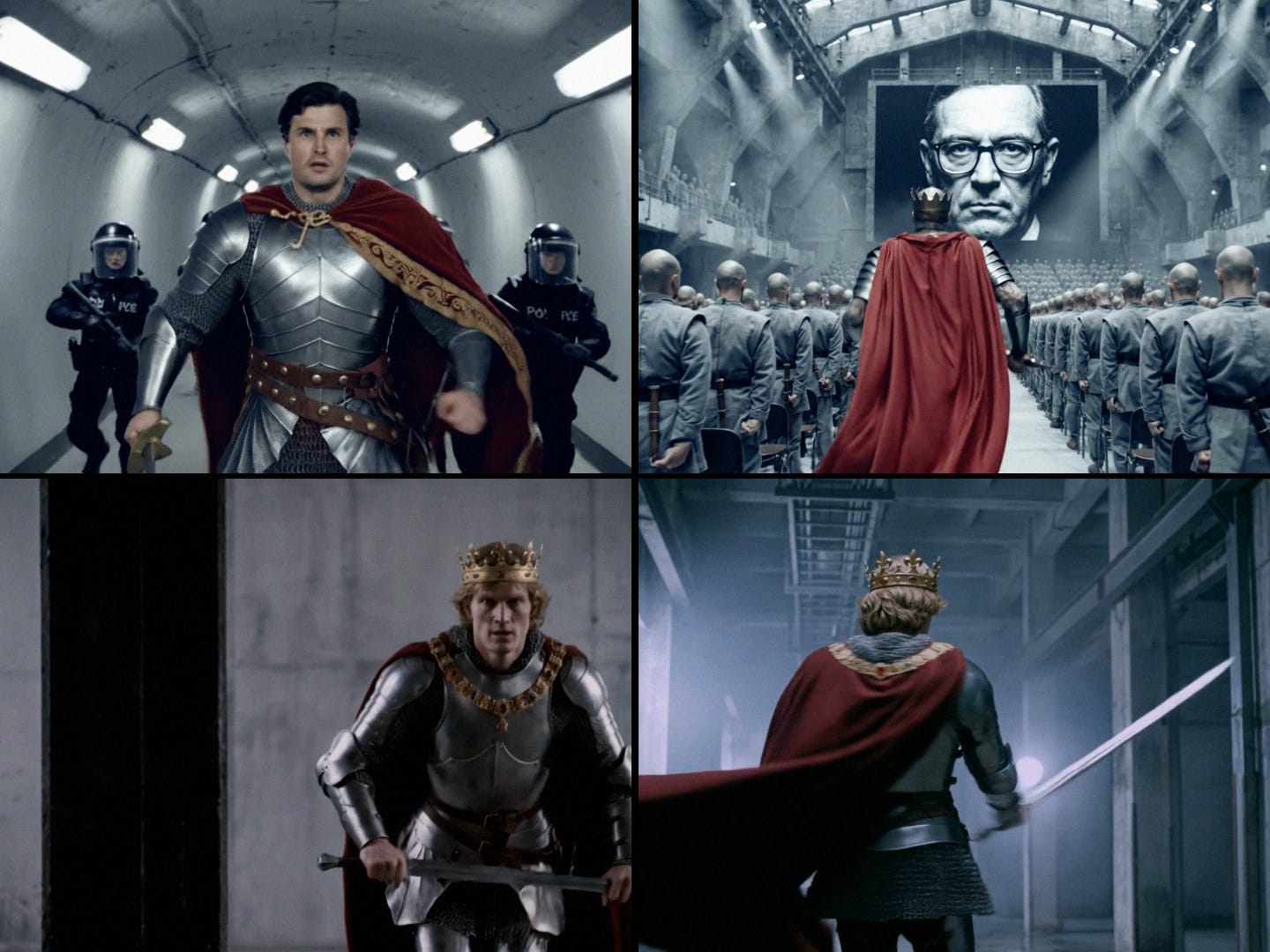
The problem was consistency. In one shot he had a crown, in the next he did not. Even his face changed from shot to shot. His armor looked one way from the front and a different way from the side. Sometimes he was gripping the sword, sometimes it was sheathed, and in a few frames he somehow had it both ways at once. It was close enough to see the vision and broken enough to be useless.
So I asked the obvious question. What are all the people making flawless AI characters doing that I am not?
Step three: the character reference sheet
This turned out to be the whole game.
I used Grok to research everything people have figured out about keeping an AI character consistent, and the answer kept coming back to one thing: a character reference sheet. Instead of making the video model reinvent your character from scratch in every shot, you first generate one clean sheet that shows the exact same character from every angle. Front, side, three quarter, back, plus tight close ups of the face. That sheet becomes the single source of truth.
Grok handed me a detailed prompt for building one. The core of it is an identity lock. You tell the model to treat your reference image as the one and only truth, preserve every facial feature and proportion exactly, no beautifying, no aging, no stylizing, and render the identical character across every panel on a plain studio background. I will share the full prompt below so you can use it yourself.
I took that prompt and my King Arthur image into ChatGPT, which in my experience still produces the best images, and it gave me something very good.
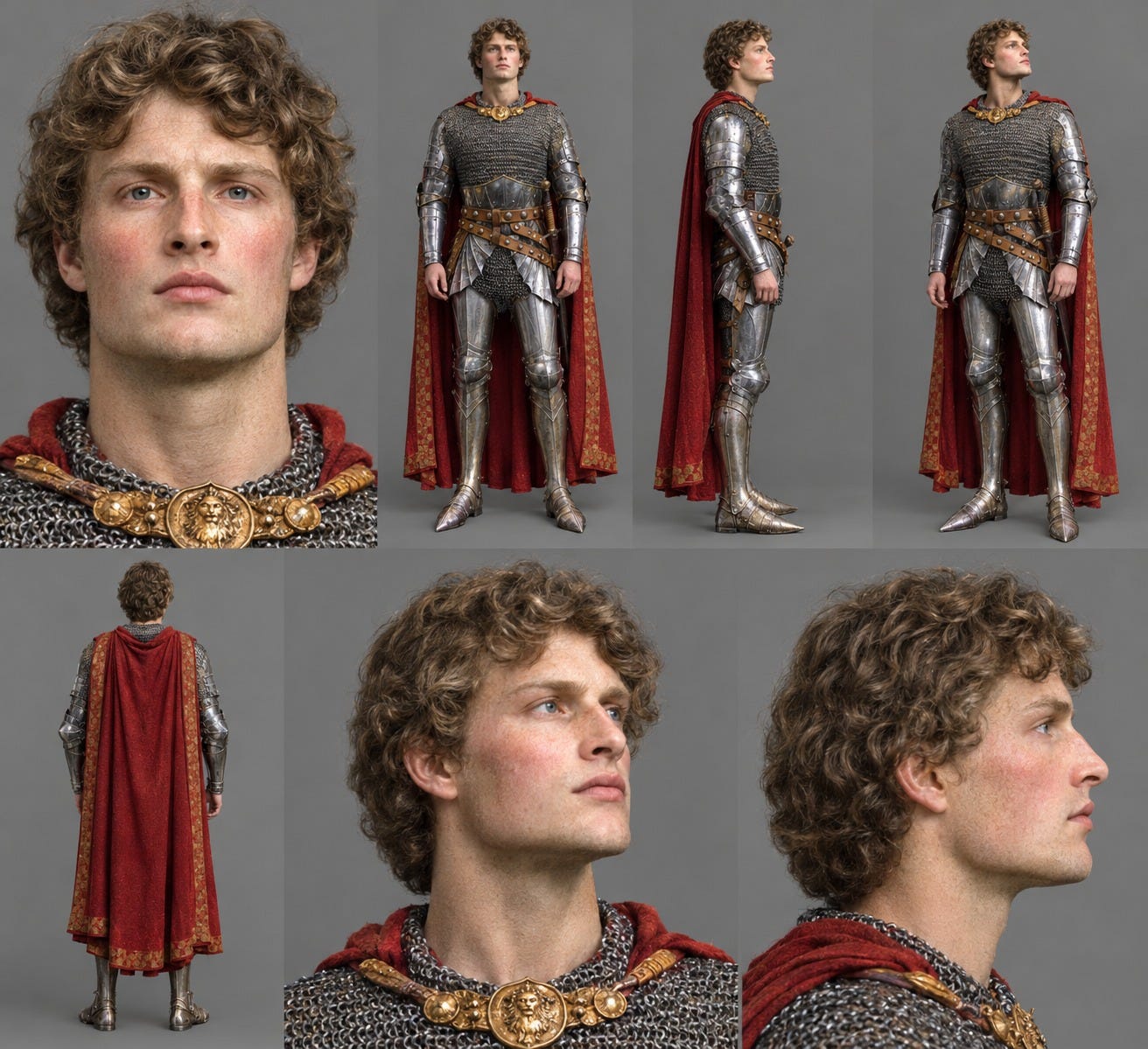
But not quite right for the ad. In that first sheet the sword was sheathed and there was no crown, and for this I needed the crown on his head and the sword in his hand, because the character in the 1984 ad is carrying the hammer.
So I corrected it directly: put the crown on his head, put the sword in his right hand, and leave the scabbard empty. That gave me the perfect reference sheet.
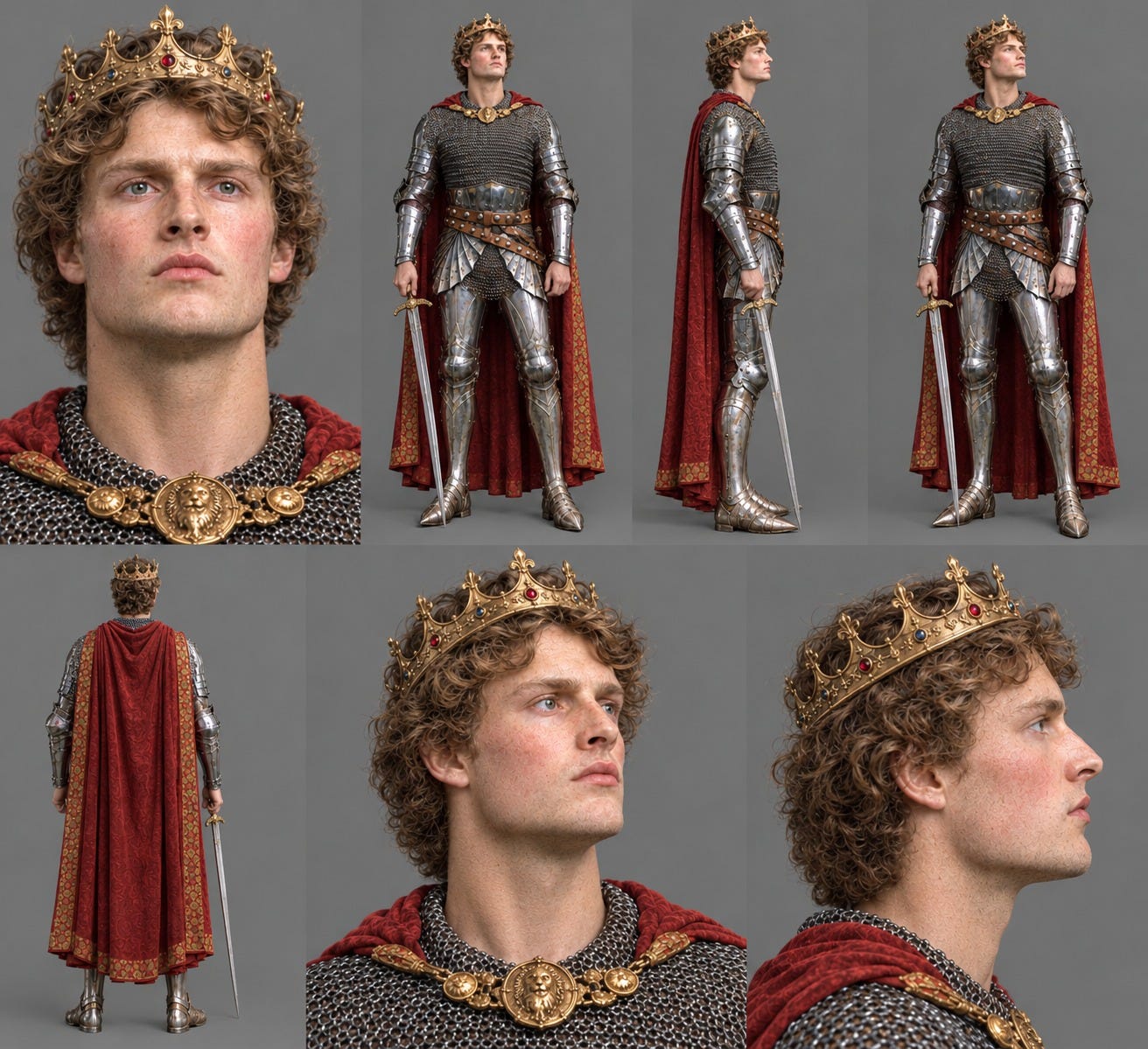
Step four: the last ten percent
I brought the finished reference sheet back into Claude in my terminal and told it to hold the character consistent against that sheet. The next render was almost perfect.
Almost. The one thing that was off was the throw. The model made him swing and release the sword the way you would throw a hammer, up and over, top over top. Which makes sense, because that is what is happening in the original ad. But that is not how a sword moves through the air. He was also gripping it with both hands, which no one would do with a sharp blade, so I told it: right hand only.
A thrown blade behaves much more like a javelin. So I went looking for the right motion, and I fell down a wonderful rabbit hole. It turns out there was once a rotational javelin technique, a full spin before the release, that got so dangerous it was banned in 1956. Describing that spin in words did not work. The model could not picture it. So I found footage of it, and it was exactly what I had pictured for Arthur. I handed that clip to the model as a movement reference and said, throw the sword like this man throws the javelin.
The spinning javelin, banned in 1956.
That did it. Arthur spins, the sword leaves his hand, flies straight into the screen, and the whole thing resolves into the line "Break through the noise," then the Noble Growth logo.
This time it nailed it. And all in, across every attempt from the first broken render to this final one, the whole thing cost me about thirty-seven dollars in credits.
What I would do differently, and what comes next
Almost every mistake I made early on is one I will never make again, and they all collapse into two lessons.
Always start with the character reference sheet. Never let the video model guess who your character is shot to shot. Lock the identity first, then generate.
And whenever your character needs to move in a way the original footage does not show, go find real footage of that exact motion and feed it in as a reference. The model is not bad at motion. It just needs to be shown the right one.
I have set all of this up in its own repo so that every time a better model ships, I can push the same character a little closer to the real thing. This is the first in a series. Next week I am taking King Arthur into another ad you will recognize instantly, and I will share a bit of how that one came together too.
If you want to follow along, subscribe and I will see you in the next one.
Below the paywall: the exact platform I used, the specific model behind each step (research, reference sheet, start frames, video, and the throw), and the precise prompts for each stage so you can run the entire workflow yourself.